
Download Zoho Calendar – Free Online Calendar, Schedule Planner & Event Organizer
Overview
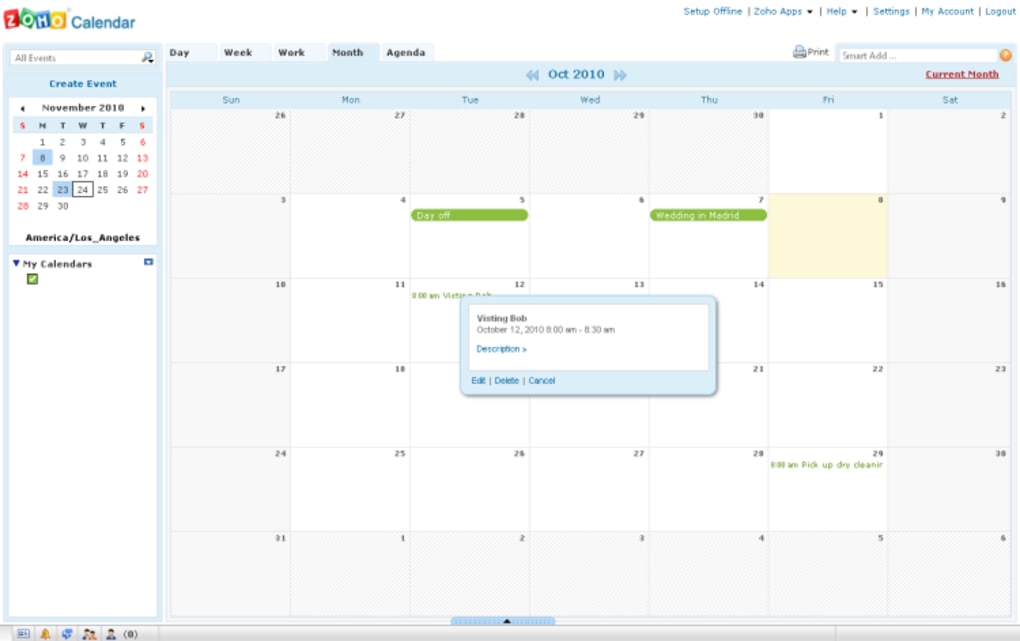
Zoho Calendar is a clean, crisp and fully‑featured web calendar that holds its own against the industry giants such as Google Calendar and Outlook.com. Designed for professionals, teams, and anyone who needs to keep track of appointments, meetings, and deadlines, Zoho Calendar offers a familiar interface while adding several smart tools that streamline the scheduling process. The moment you log in, you can create multiple calendars, toggle between day, week, work, month, and agenda views, and instantly add events with a simple click.
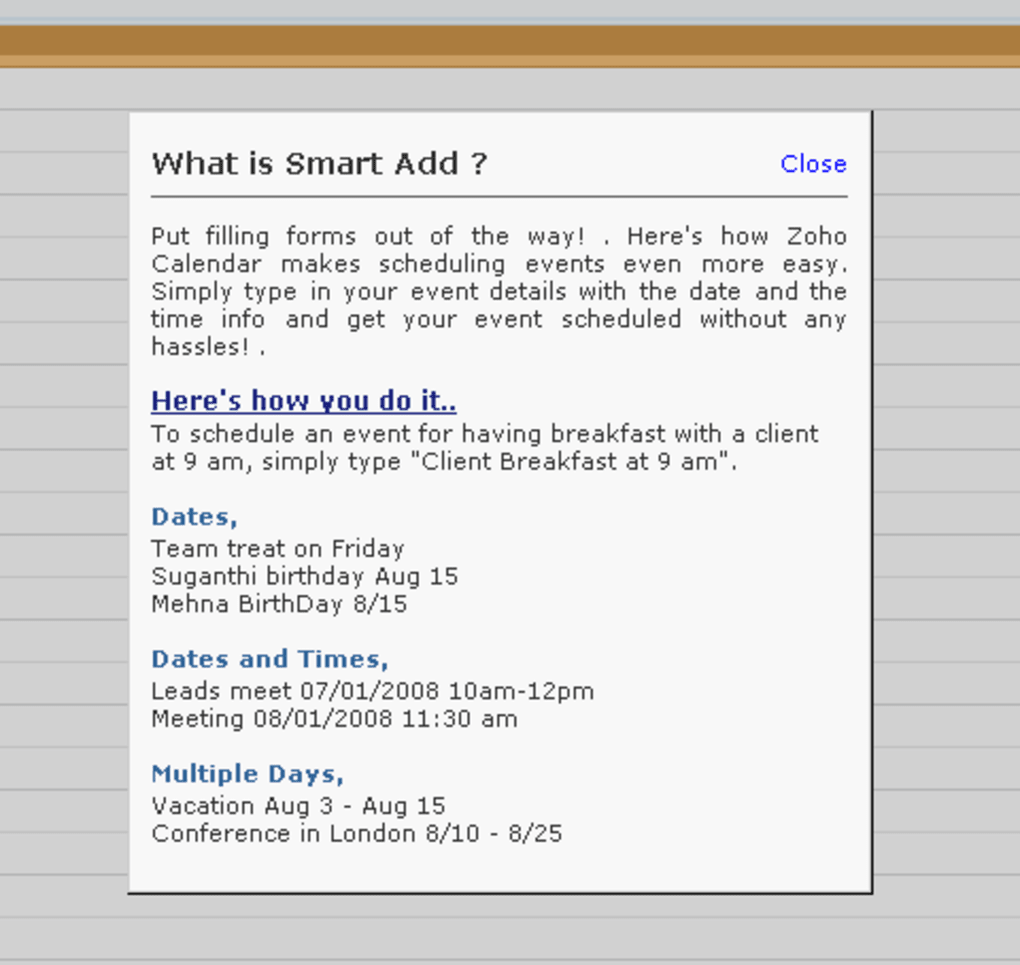
The standout “Smart Add” feature interprets natural‑language inputs—type “Lunch with Sarah next Thursday at 1 pm” and the app automatically parses the date, time, and description. Integration is another strong suit; you can import calendars from other services, export your own, and share calendars with colleagues or friends using secure links. While Zoho Calendar is currently in beta and free to use, it sits inside the broader Zoho Office Suite, giving users instant access to over 40 other web‑based productivity tools.
The only noticeable drawback is a relatively basic reminder system, which lacks the granular control found in some paid competitors. Overall, Zoho Calendar delivers a robust, secure, and user‑friendly experience that makes organizing events a breeze.
Key Features & Benefits
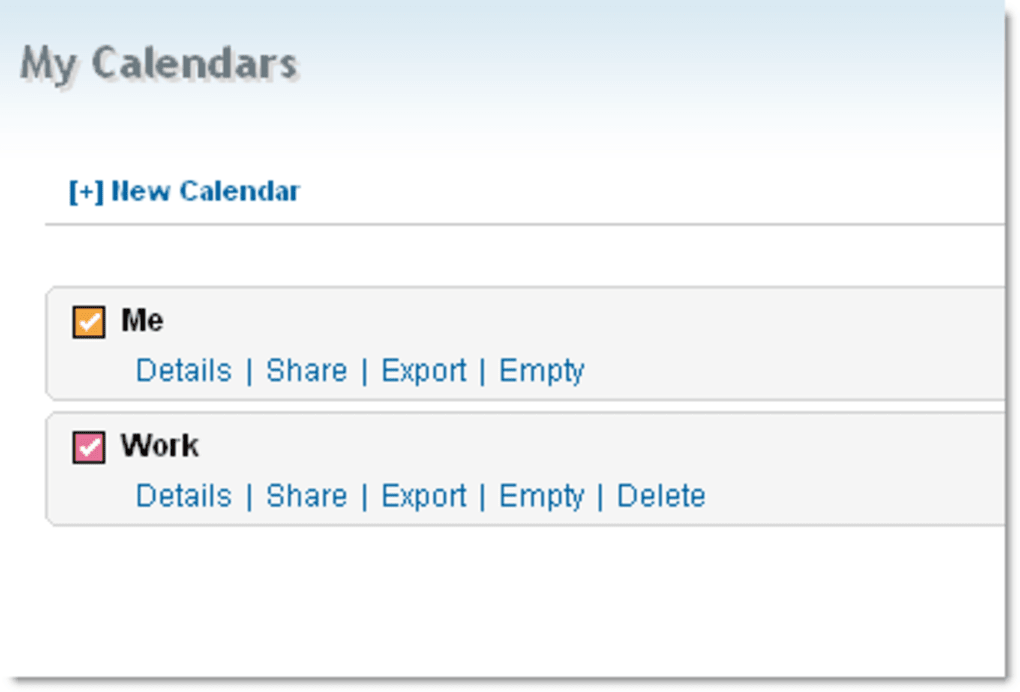
- Multiple Calendar Management: Create, edit, and view separate calendars for personal, work, or project use, and overlay them for a consolidated view.
- Smart Add Functionality: Type natural language commands (“Team meeting tomorrow at 10 am”) and let the system auto‑populate event details.
- Various Views: Day, week, work‑week, month, and agenda layouts help you visualize schedules in the format that suits you best.
- Import/Export & Sharing: Seamlessly import iCal, CSV, or Google Calendar files; export your calendars or share them via secure links with custom permission levels.
- Integrated Zoho Suite Access: One login opens the entire Zoho ecosystem—Docs, Projects, Mail—making collaboration effortless.
- Responsive Web Design: Optimized for desktops, tablets, and smartphones, ensuring you can manage appointments on any device.
- Free Beta Offering: Full‑featured calendar capabilities at no cost while the platform remains in beta, with regular updates.
These features translate into tangible benefits for everyday users. Professionals can avoid double‑booking by viewing all team calendars in a single pane, while freelancers appreciate the quick “Smart Add” to capture client meetings on the fly. The robust import/export options eliminate the headache of switching between calendar services, and the built‑in sharing controls keep sensitive data secure. Because Zoho Calendar lives in the cloud, you never need to worry about local backups or software updates; Zoho handles security patches and feature rollouts automatically. Whether you’re coordinating a multinational project or simply tracking personal workouts, Zoho Calendar adapts to your workflow without demanding a steep learning curve.
Installation, Usage & Compatibility
Getting Started – Simple Sign‑Up Process
To begin, visit Zoho Calendar’s homepage and click “Sign Up.” You’ll need a standard email address and a password. Because Zoho operates on a unified account system, the same credentials grant you access to the entire Zoho suite, which is especially handy if you already use Zoho Mail or Zoho Docs. After confirming your email, you’re redirected to the calendar dashboard where you can immediately start adding events.
Step‑by‑Step Usage
- Create a New Event: Click any date cell; a quick‑add box appears. Type a brief title or use Smart Add for detailed entries.
- Edit Details: For more information, click “Edit” to open the full event form where you can add location, attendees, recurrence, and notes.
- Invite Participants: Enter email addresses in the “Guests” field; Zoho sends automatic invitations with iCal attachments.
- Set Reminders: Choose from email or popup reminders (default is 10 minutes before the event).
- Switch Views: Use the toolbar to toggle between day, week, work‑week, month, or agenda view.
- Share or Export: Click the “Share” icon to generate a public link or export the calendar as an .ics file.
Device Compatibility
Zoho Calendar is a web‑based application, which means it works on any modern browser across Windows, macOS, Linux, Android, and iOS platforms. The responsive design ensures a seamless experience whether you’re on a 27‑inch desktop monitor, a 13‑inch MacBook, an Android tablet, or an iPhone. For users who prefer native apps, Zoho offers companion mobile apps for Android and iOS that sync in real time with the web version, preserving all events, reminders, and shared calendars.
Security & Updates
Zoho adheres to industry‑standard SSL encryption for all data in transit and stores information in secured data centers with routine backups. Since the calendar is cloud‑hosted, updates are automatic—no manual patching or version checks are required. Users receive new features (like the Smart Add enhancements) as soon as they are rolled out, keeping the tool current without any extra effort.
Pros, Cons & Frequently Asked Questions
Pros
- Free beta version with full feature set.
- Intuitive Smart Add that reduces manual entry time.
- Multiple calendar support and easy view switching.
- Robust import/export and sharing capabilities.
- Responsive design works on all major operating systems.
- Seamless integration with the broader Zoho Office Suite.
Cons
- Reminder options are basic; no custom snooze intervals.
- Advanced reporting and analytics are limited compared to paid enterprise calendars.
- As a beta product, occasional minor bugs may appear.
FAQ
Is Zoho Calendar really free?
Yes, during its beta phase Zoho Calendar is offered at no cost. Zoho may introduce premium tiers in the future, but the core calendar features remain free for now.
Can I sync Zoho Calendar with Google Calendar?
Absolutely. Zoho Calendar supports two‑way sync via iCal URLs. Export your Google Calendar as an .ics file and import it into Zoho, or use the subscription link to keep them updated automatically.
How secure is my data in Zoho Calendar?
Zoho employs SSL encryption for all data transfers and stores information in ISO‑27001 certified data centers. Access controls, two‑factor authentication, and regular security audits keep your calendar data safe.
Does Zoho Calendar work offline?
The web version requires an internet connection, but the Android and iOS mobile apps cache recent events, allowing you to view upcoming appointments offline. Changes made offline sync automatically when you reconnect.
Can I set recurring events?
Yes. When creating or editing an event, select the “Repeat” option and choose daily, weekly, monthly, yearly, or custom recurrence patterns.
Conclusion & Call to Action
Zoho Calendar proves that a free, web‑based scheduler can still deliver a polished, feature‑rich experience. Its intuitive Smart Add, flexible view options, and seamless integration with the Zoho ecosystem make it a compelling alternative to the more established calendar services. While the reminder system could benefit from additional customization, the overall reliability, cross‑platform compatibility, and zero‑cost entry point outweigh this minor limitation. Whether you’re a solo entrepreneur, a remote team, or a large organization looking for a cost‑effective scheduling tool, Zoho Calendar is ready to keep you organized and on time.
Ready to streamline your day? Download Zoho Calendar now and start managing your events with a modern, secure, and free web app. Join the growing community of users who trust Zoho for their productivity needs.



.png)



